
1.Overview
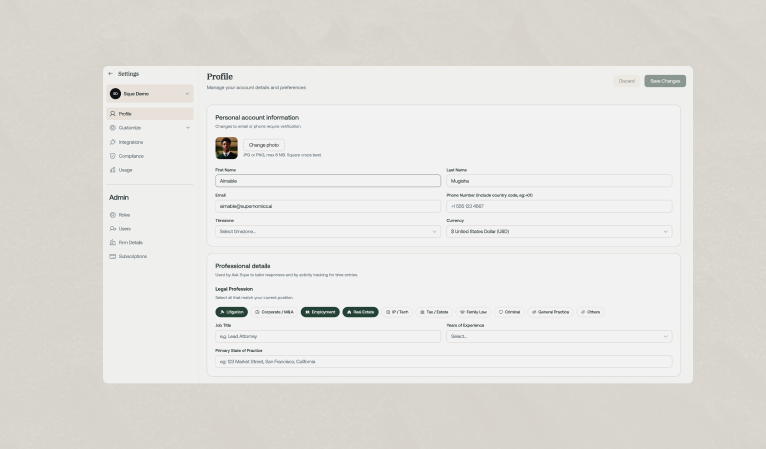
Setting up your user profile allows Sque to customize its features to match your specific professional needs. During the initial setup, you'll provide key information that helps Sque provide more relevant and precise assistance.
2.Your Sque AI Experience
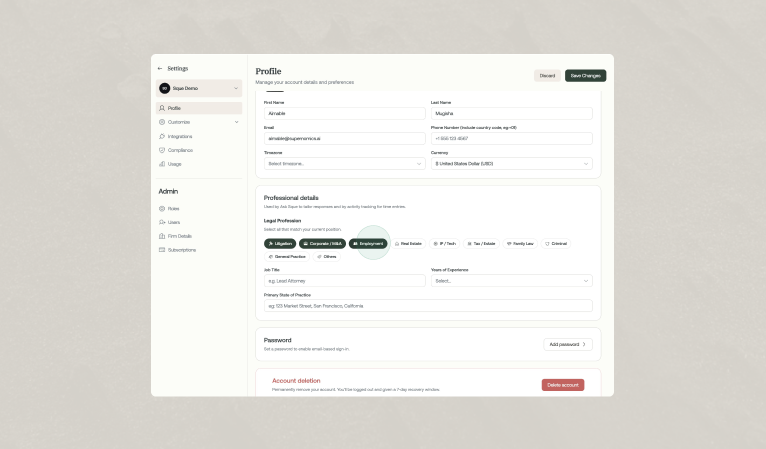
When creating your profile, you can customize your practice area and preferred language. Your chosen profession and experience level also help Sque provide responses tailored to you, setting the stage for more personalized features ahead.
Practice area
Choose up to three practice areas to get tailored prompts and examples that match your professional expertise. Whether you specialize in litigation, transactions, or another niche, Sque will provide the most relevant resources for you.
3.How to Update your Profile
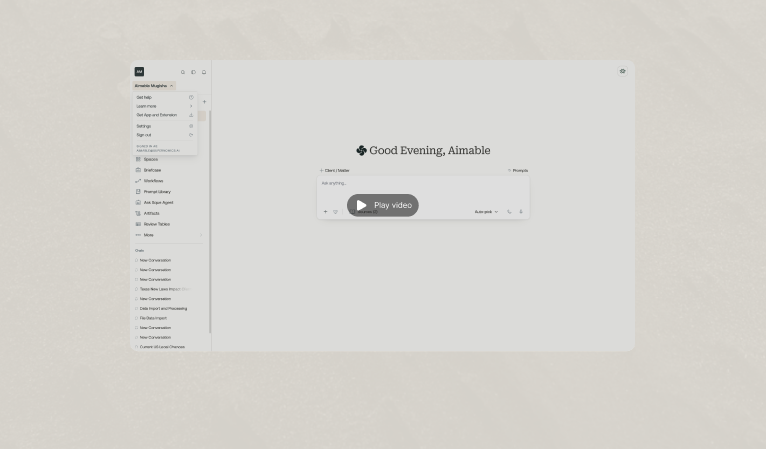
You can update your profile with the following steps:
- Go to the upper-left corner and select your username.
- In the pop-up window that appears, locate and click the settings button.
- You will be taken to the settings page, where you can modify your profile information.
Frequently asked questions
Yes. You can update your personal preferences at any time from your profile settings, including notifications, display options, and workspace defaults. Changes apply to your account immediately unless noted otherwise.
Your preferences can affect tone, formatting, and how responses are presented, but they do not change the underlying legal definitions or matter-specific context Sque uses when analyzing your documents and queries.